
Set Specific Directions
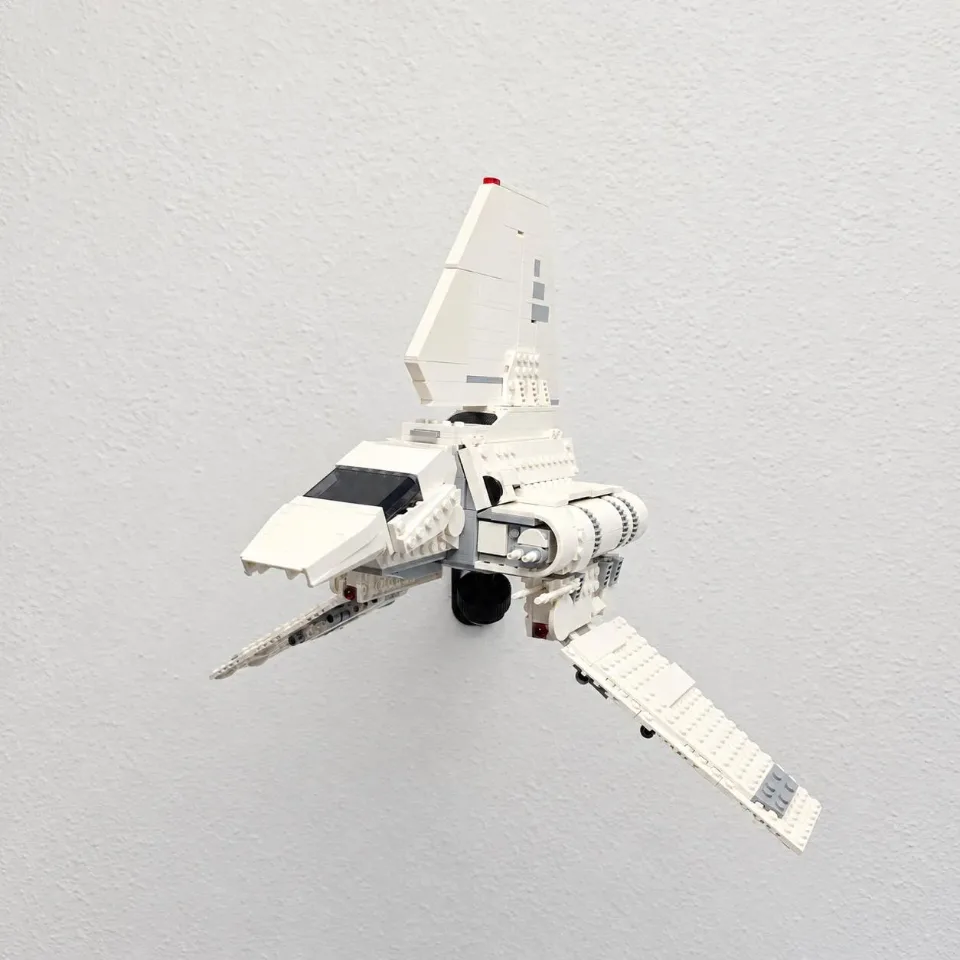
Adjustable Wall Mount for LEGO® Imperial Lambda-Class Shuttle (75459)
Install the Large arm and fit the 4 × 8 locking-brick top. Choose the animation for the arm supplied with your order, then follow the written installation steps.
Reference 75459
YOUR SELECTED ITEM
Adjustable Wall Mount for LEGO® Imperial Lambda-Class Shuttle (75459)
Before you start
Tools needed
- Screwdriver
- Level
- Fine-tip pen or pencil
- Stud finder (optional)
Parts & hardware
- Large arm
- 4 × 8 locking-brick top and locking collar
- Optional screw cover if supplied
- 2 wall screws and suitable anchors (if ordered)
SOURCE YOUR OWN HARDWARE
Need mounting hardware?
If you did not order mounting hardware with your mount, use the specifications and links below to source the hardware you need.
Screws & Anchors (Yellow)
- Specifications
- 20.0-lb 1/4-in x 7/8-in Push-In Anchors with Screws
SEE IT COME TOGETHER
Watch the installation
 Watch on YouTubeFollow along with the installation ↗
Opens in a new tab so you can keep these instructions handy.
Check the parts and mark the wall
Use the Large arm and 4 × 8 locking-brick top supplied for this set. Keep the top, collar and optional screw cover aside. Hold the empty arm against the wall, check alignment and mark every mounting hole. Leave clearance for the full model and its display angle.
Prepare the wall
Check for concealed wiring and pipes. Prepare each marked hole and fit suitable wall anchors according to the hardware instructions. Seat each anchor flush where used. Use wall hardware appropriate for your wall material and the loaded display.
Secure the arm
Start every wall screw, recheck alignment, then tighten gradually until snug without bending the printed parts. Check the empty mount for movement before loading it.
Fit the optional screw cover
With the arm socket still empty, slide the optional screw cover into place without forcing it. Keep the 4 × 8 top and locking collar aside while you prepare the model connection.
Attach and lock the 4 × 8 top to the model
Support the model on a stable surface. Locate the intended underside attachment point for this set. Press the supplied 4 × 8 top squarely into place and fit the supplied locking bricks to secure it to the surrounding brickwork. Check that the top and locking connections are fully seated before lifting the model. For the locking-brick connection sequence, see https://install.bp3dprintshop.com/guides/4-8-locking-brick-mount-with-hd-arm . That guide demonstrates the top connection with an HD arm; use the Large arm and wall hardware specified above for this Lambda-Class Shuttle mount.
Seat the ball, set the angle and check the display
Keep the model supported while guiding the ball into the arm socket. Engage the locking collar threads by hand and tighten until the joint holds securely. Start with a level or modest display angle; do not overtighten or force the printed parts. Before releasing your hands, check that the wall mount is firm, the top and locking bricks are fully engaged, and the collar holds the chosen angle. Release your support gradually only after all connections are secure and the model remains stable. Support the model whenever adjusting it, and remove it before moving or retightening the wall mount.