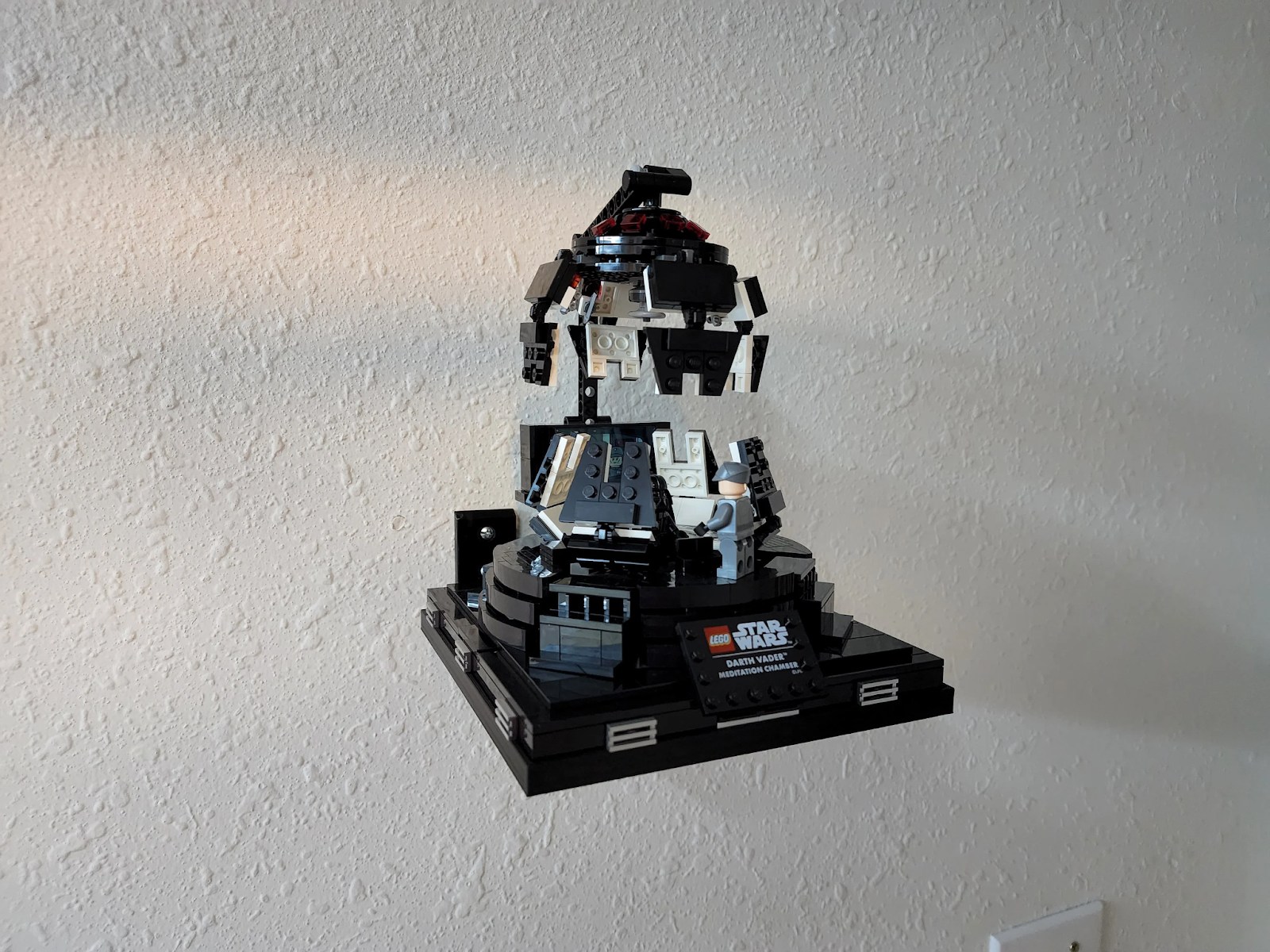
Set Specific Directions
Darth Vader Meditation Chamber (75296) — wall mount
Fit the dedicated underside support for the Meditation Chamber. The photos show the attachment orientation and standard and angled display examples; use the arrangement that matches your mount.
Reference 75296
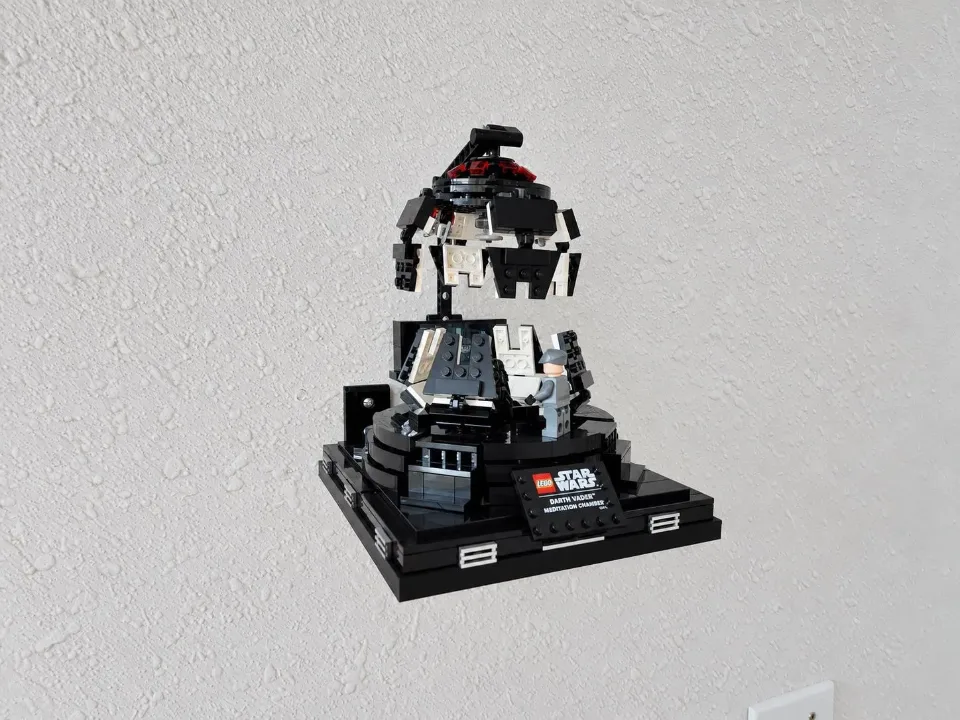
Before you start
Tools needed
- Screwdriver
- Level
- Fine-tip pencil
- Tape measure
- Stud finder and drill, if required by your wall hardware
Parts & hardware
- Dedicated Meditation Chamber mount
- Wall screws and anchors appropriate for your wall (supplied only if ordered)
SOURCE YOUR OWN HARDWARE
Need mounting hardware?
If you did not order mounting hardware with your mount, use the specifications and links below to source the hardware you need.
Screws & Anchors (Yellow)
- Specifications
- 20.0-lb 1/4-in x 7/8-in Push-In Anchors with Screws
Identify the underside support
Safely support the set and compare its underside with the photo. Identify the central opening and the printed support’s position before installing anything.
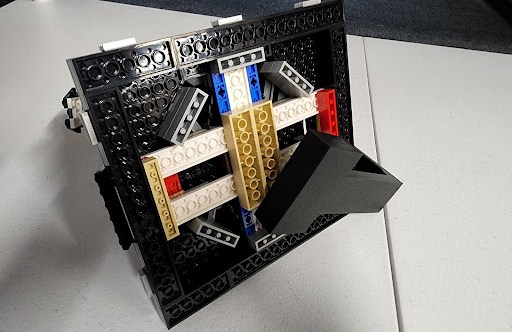
Prepare the wall location
Choose a location with room for the complete set and clearance from nearby objects. Use screws and, where needed, anchors suitable for your wall material and the combined weight of the mount and set. Follow the hardware manufacturer’s instructions for hole size and installation. Check for concealed services before drilling. Hold the mounting part in position, check its alignment with a level, and mark the holes.
Secure the mount
Line up the mount with the prepared holes. Start the screws, check the alignment, then tighten gradually with a screwdriver until the mount is firm against the wall. Do not overtighten or bend the printed mounting points. If the mount moves or rocks, correct the installation before adding your set.
Align the set with the mount
Support the full base of the chamber. Position the printed support against the underside as shown, checking the central opening and surrounding plates. Use this second view to confirm the orientation.
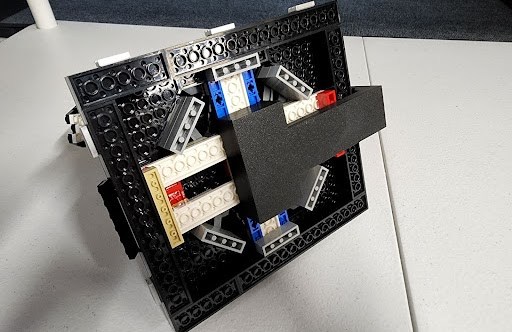
Place the set and check its position
Carefully place the set onto the installed support. Keep a hand under the base until it is seated. If you ordered the angled version, use this angled example as the orientation reference; do not bend a standard mount to achieve that angle.
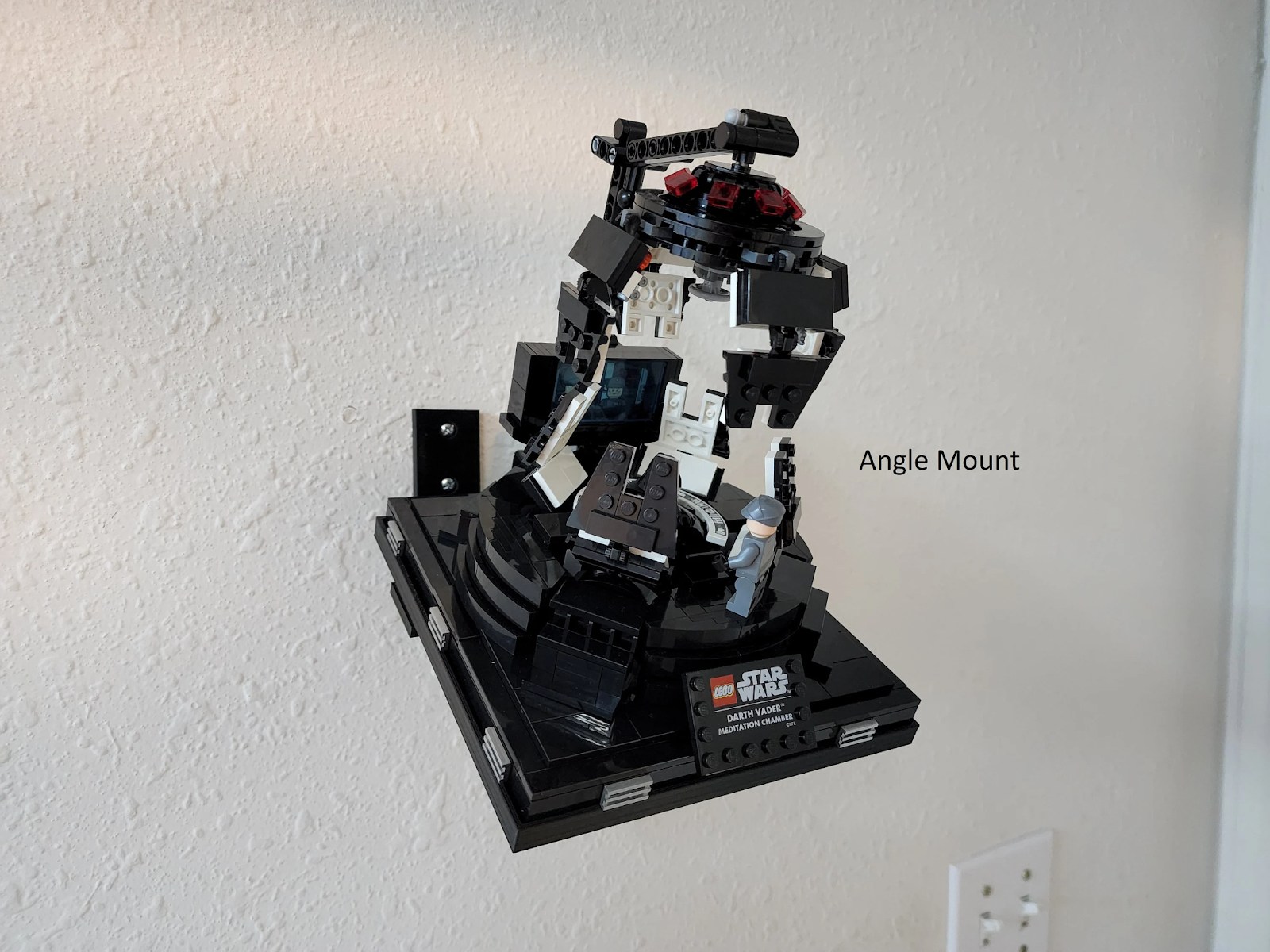
Check the finished display
Gradually release your support only after the set is fully seated and stable. Check that the wall mount, adapter, and brick connections remain secure. If anything shifts or loosens, remove the set and correct the problem before displaying it. Support the set whenever you adjust or remove it.