
Set Specific Directions
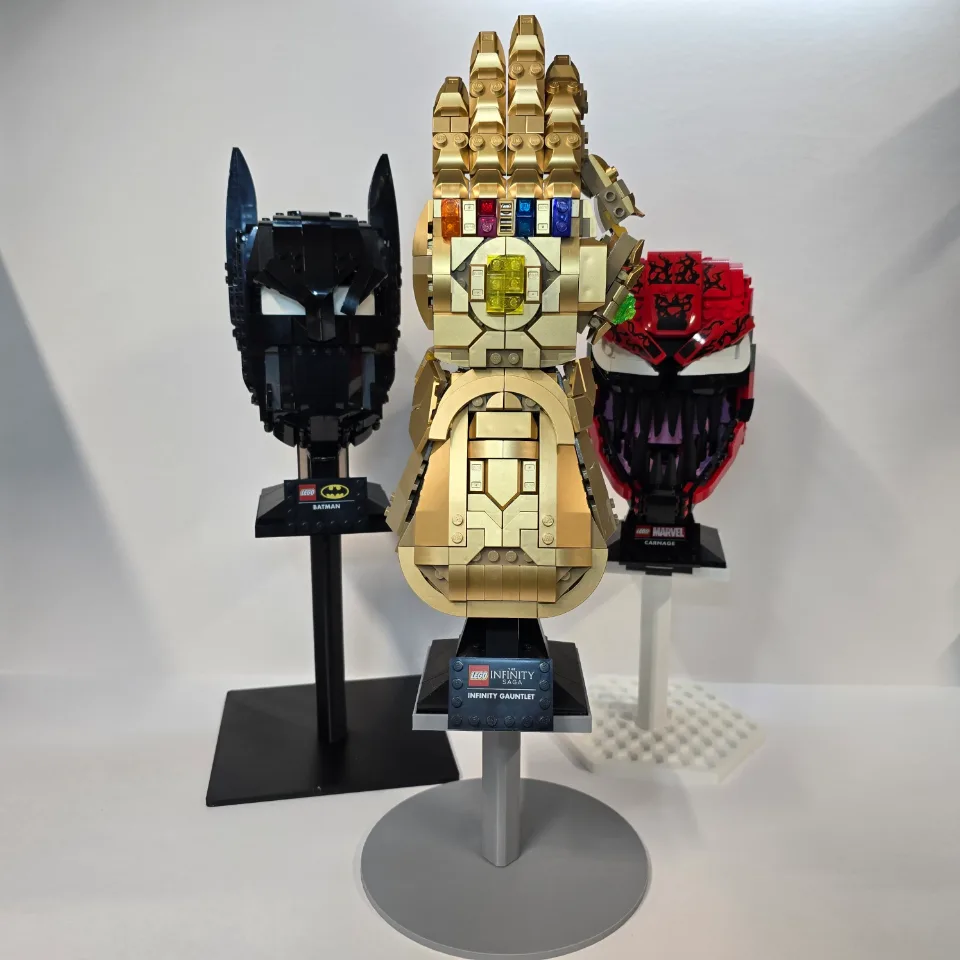
Helmet display stands — Star Wars, Marvel & DC
Assemble your helmet display stand with two stand screws: one passes up through the base into the stem, and the other passes down through the tray into the stem. The same assembly applies to all decorative base styles and the 120, 150, and 180 mm stem options.
Reference Star Wars / Marvel & DC helmets
Which item are you installing?
Choose an item linked to this guide to see its details and purchase link.
Before you start
Tools needed
- No tools required — hand-tighten the supplied stand screws
Parts & hardware
- One decorative base in your selected style
- One curved stem in your selected height: 120, 150, or 180 mm
- One helmet stand tray
- Two supplied stand screws: one for the base and one for the tray
SOURCE YOUR OWN HARDWARE
Need mounting hardware?
NA
Screws & Anchors (Yellow)
- Specifications
- 20.0-lb 1/4-in x 7/8-in Push-In Anchors with Screws
Check the parts
Lay out the decorative base, curved stem, helmet tray, and both stand screws. Each stand needs two screws: one secures the base to the bottom of the stem, and the other secures the tray to the top. The 120, 150, and 180 mm stems are separate height options. Use the stem supplied with your order; the assembly process is the same for each height and base style. Check the printed parts and threads for damage before starting.
Attach the base to the stem
Place the decorative base with its display face upward and position the bottom of the stem over the center hole. Support both parts while inserting the first stand screw upward through the underside of the base into the bottom of the stem. Keep the screw square to the threaded opening and start it gently by hand. If it catches or begins at an angle, back it out and realign it. Turn it until the parts are held together, leaving enough movement to align the stand before final tightening.
Attach the tray to the top of the stem
Place the tray on the upper end of the stem with its raised edges facing upward. Align the tray’s center hole with the threaded opening in the stem. Insert the second stand screw downward through the tray into the top of the stem. Start the connection by hand while supporting the tray. Keep the screw straight and do not force it if the threads resist. Tighten enough to hold the tray in place while you check its orientation.
Align the stand and hand-tighten both screws
Set the empty stand on a flat, stable surface. Align the tray with the stem and decorative base for the intended display direction. Check that the tray is seated properly on the stem and the base sits flat. Hold the parts in alignment and hand-tighten both screws until the joints are secure. Avoid overtightening or using tools to force the printed threads. Check that the stem and tray do not rotate or wobble at their connections before placing a helmet on the stand.
Place the helmet and its LEGO base on the tray
Keep the helmet attached to its original display base. Lift the assembly by supporting that base rather than pulling on the helmet’s decorative pieces. Lower the base onto the tray so it rests flat within the raised edges. Check that it is properly positioned and supported before releasing it. Do not force the base against an edge or leave it balanced on the tray’s rim.
Check the completed display
Gradually release your support and confirm that the stand stays stable, the base remains flat on the surface, and the helmet’s base sits securely in the tray. Keep the display away from shelf edges and places where it could be bumped. Lift the helmet and its base off the tray before adjusting the stand, tightening either screw, or moving the stand to another location. If a connection loosens or the stand becomes unstable, remove the helmet and correct the assembly before displaying it again.