
Set Specific Directions
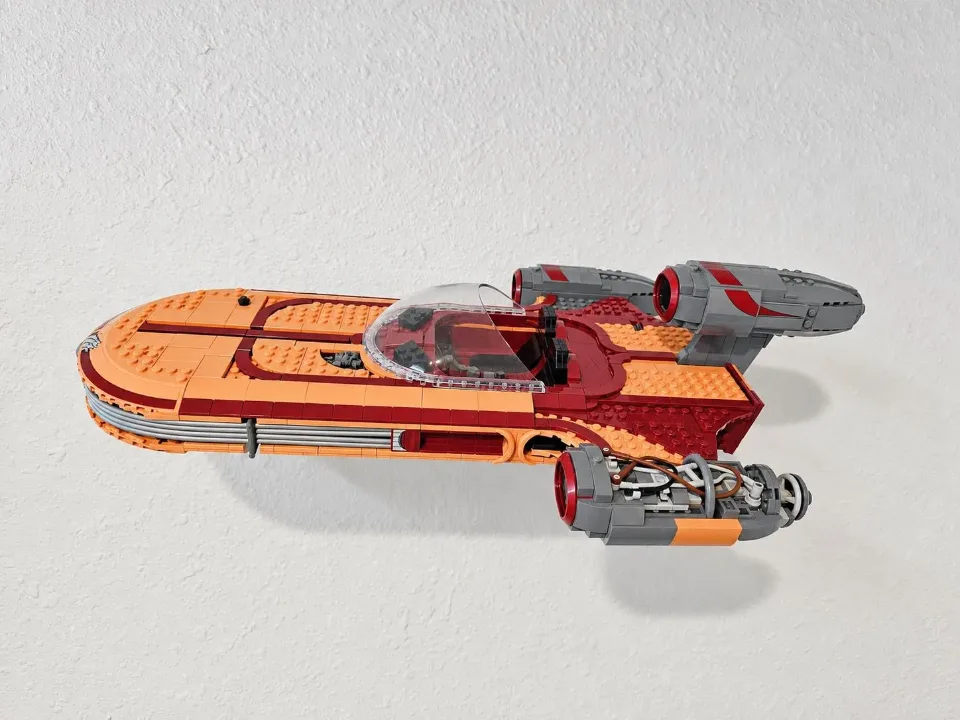
Luke Skywalker’s Landspeeder UCS (75341) — wall mount
Install the wall cleat, fit the ship bracket’s two pegs into the matching holes underneath the Landspeeder, then seat the model on the cleat. This guide covers UCS set 75341 and uses the white/blue screws and anchors listed below.
Reference 75341
Before you start
Tools needed
- Screwdriver
- Level
- Fine-tip pencil
- Tape measure
- Stud finder and drill, if required for your wall hardware
Parts & hardware
- Landspeeder ship bracket with two attachment pegs
- Wall cleat
- White/blue screw-and-anchor kit (supplied only if ordered)
SOURCE YOUR OWN HARDWARE
Need mounting hardware?
This mount uses the white/blue screw-and-anchor kit. If you did not order hardware with your mount, use the specifications and purchase link below to source it. Confirm that the hardware is suitable for your wall and follow its installation instructions. The listed hardware rating is not a load rating for the complete printed mount.
Screws & Anchors (White/Blue)
- Specifications
- 25.0-lb 3/16-in x 1-1/4-in Push-In Anchors with Screws
Identify the ship bracket and wall cleat
Lay out the two printed parts. The ship bracket has two pegs that fit into matching holes on the underside of the Landspeeder. The wall cleat has the screw holes and receives the ship bracket once the model is ready to hang. Check both parts for damage and confirm that your mount is for UCS set 75341. Keep the model safely supported away from the work area while installing the cleat.
Choose the location and mark the wall
Choose a position with enough space for the entire Landspeeder, including its engines and other projecting details. Leave room above the mounting position to lift the model onto the cleat and remove it later. Hold the cleat against the wall with its bracket-engaging side facing outward. Check its alignment with a level and mark the screw-hole positions. Check for concealed services before drilling. Use the white/blue anchors only where suitable for your wall material, following the hardware manufacturer’s instructions for hole size and preparation.
Secure the wall cleat
Prepare the marked holes and install the anchors according to their instructions. Line up the cleat, start the screws, and check its alignment again. Tighten gradually with a screwdriver until the cleat is held firmly against the wall. Do not overtighten or bend the printed mounting points. Check that the cleat does not shift or rock. Correct any movement before placing the model on it.
Fit the ship bracket’s two pegs
Support the Landspeeder so you can access its underside without resting its weight on fragile details. Locate the two holes that match the ship bracket’s pegs. Align both pegs with their matching holes before pressing the bracket into place. Keep the bracket square to the attachment area and use gentle, even pressure so both pegs engage. Do not force a peg into an unrelated opening or twist the bracket while only one peg is engaged. Check that both pegs are fully seated and that the surrounding brick structure remains connected. Continue supporting the model; do not lift it by an incompletely attached bracket.
Seat the Landspeeder on the wall cleat
Lift the Landspeeder by its supported main structure, with a helper if needed. Align the ship bracket with the wall cleat, then lower it into the mating position until fully seated. Keep the model’s weight supported throughout. Check that the bracket is properly engaged with the cleat, not resting on an edge, and that both pegs remain seated in the underside of the set. If the parts do not engage smoothly, lift the model away and recheck the alignment instead of forcing them together.
Check the display and remove it safely
Gradually release your support only when the Landspeeder is stable. Confirm that the cleat stays firm against the wall, the ship bracket remains fully seated, and both pegs stay engaged with the set. Check clearance around the engines and other delicate details. To remove the model, support its weight and lift the ship bracket clear of the cleat before moving it away from the wall. Avoid pulling the model outward while the bracket is still engaged. If anything shifts or loosens later, take the set down and check the wall hardware, printed parts, and brick connections before displaying it again.