
Set Specific Directions
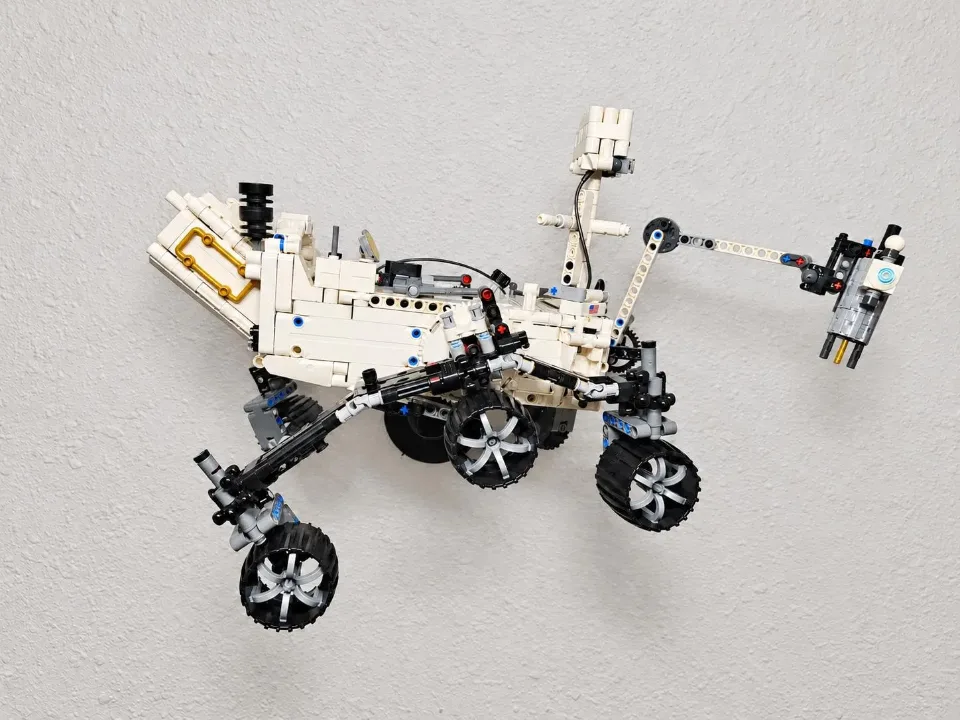
NASA Mars Rover Perseverance (42158) — adjustable wall mount
Install your wall mount for NASA Mars Rover Perseverance (42158). This set uses an adapter ball secured to the rover’s underside with zip ties. Follow the reference photos for the adapter position and attachment before connecting the rover to the wall-mounted arm.
Before you start
Tools needed
- Screwdriver
- Level
- Pencil
- Drill and suitable bit if required by your wall mounting hardware
Parts & hardware
- Mounting arm
- Mars Rover adapter ball and retaining collar
- Zip ties
- Screw cover (if ordered)
- Screws and wall anchors suitable for your wall (included if ordered)
Secure the mounting arm to the wall
Choose a position with enough clearance for the rover. Level the arm, mark its fixing holes, and secure it to the wall using screws and anchors suitable for the wall type. Use the supplied hardware if you ordered it and it is appropriate for your wall. Check that the arm is firmly attached before adding the set.
Fit the screw cover
If using the screw cover, fit it after both wall screws are snug and before installing the ball head. With the socket still bare, align the cover opening with the socket at the tip of the arm. Slide the cover over the socket and along the arm until it seats against the wall plate and conceals the screws. Support the arm and guide the cover gently. If it catches, check the orientation before continuing.
Position the rover adapter
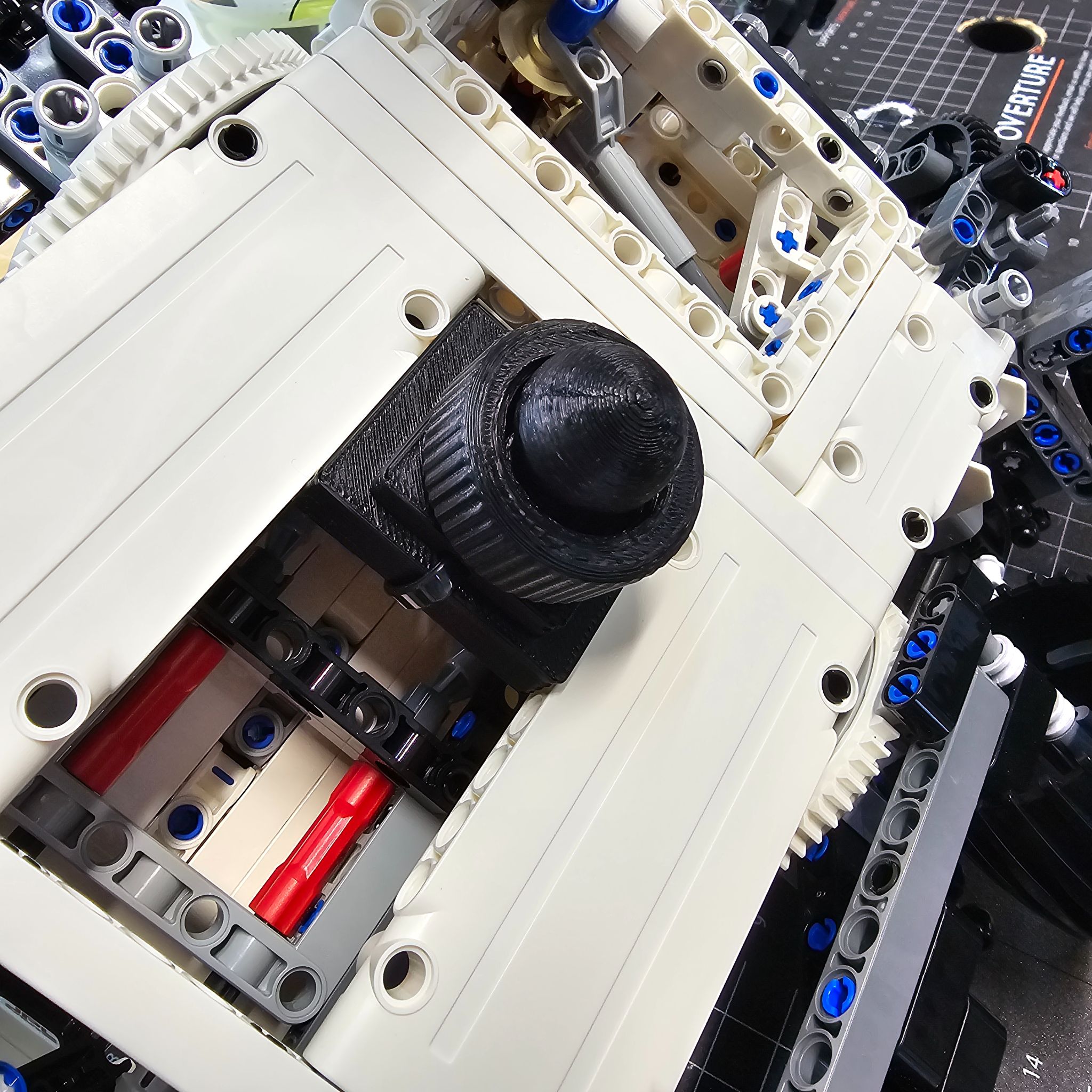
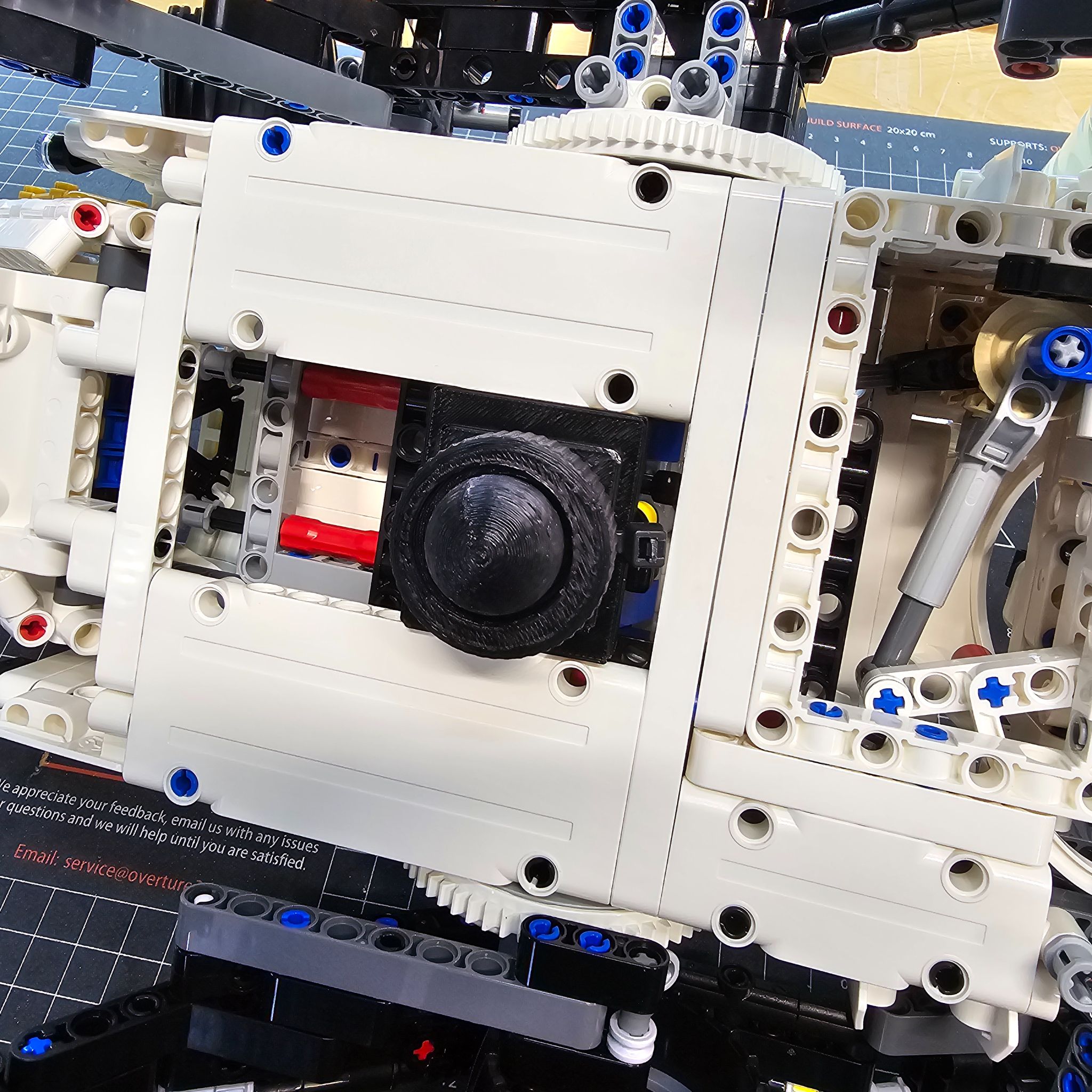
Support the rover carefully with its underside accessible. Position the adapter ball in the underside location shown in the photo. Match the adapter orientation and surrounding Technic structure before fastening it. This rover uses a zip-tied adapter; generic brick-top placement and balance-point searching do not apply.
Secure the adapter with zip ties
Zip tie the adapter to the underside of the rover as shown in the reference photos. Check the attachment from both angles and tighten the ties so the adapter cannot shift, without distorting or pulling apart the brick structure. Keep the ties clear of moving parts. Support the rover while checking that the adapter is secure.
Attach the rover and set its display angle
With the adapter secured to the rover, support the whole set while connecting the adapter ball to the mounting arm. Screw the retaining collar onto the arm and adjust the display angle, then tighten the collar to hold the ball joint in place. Keep the angle moderate and the rover in a stable position. Gradually ease your support only after checking the wall mounting hardware, zip ties, adapter, and ball joint. Support the rover again before making later adjustments.