
Set Specific Directions
Pikachu and Poké Ball (72152) — wall mount
Install the two-arm mount. Its arms have different lengths and mount at different heights. Fit them to the base first so you can mark the wall with the base level.
Reference 72152
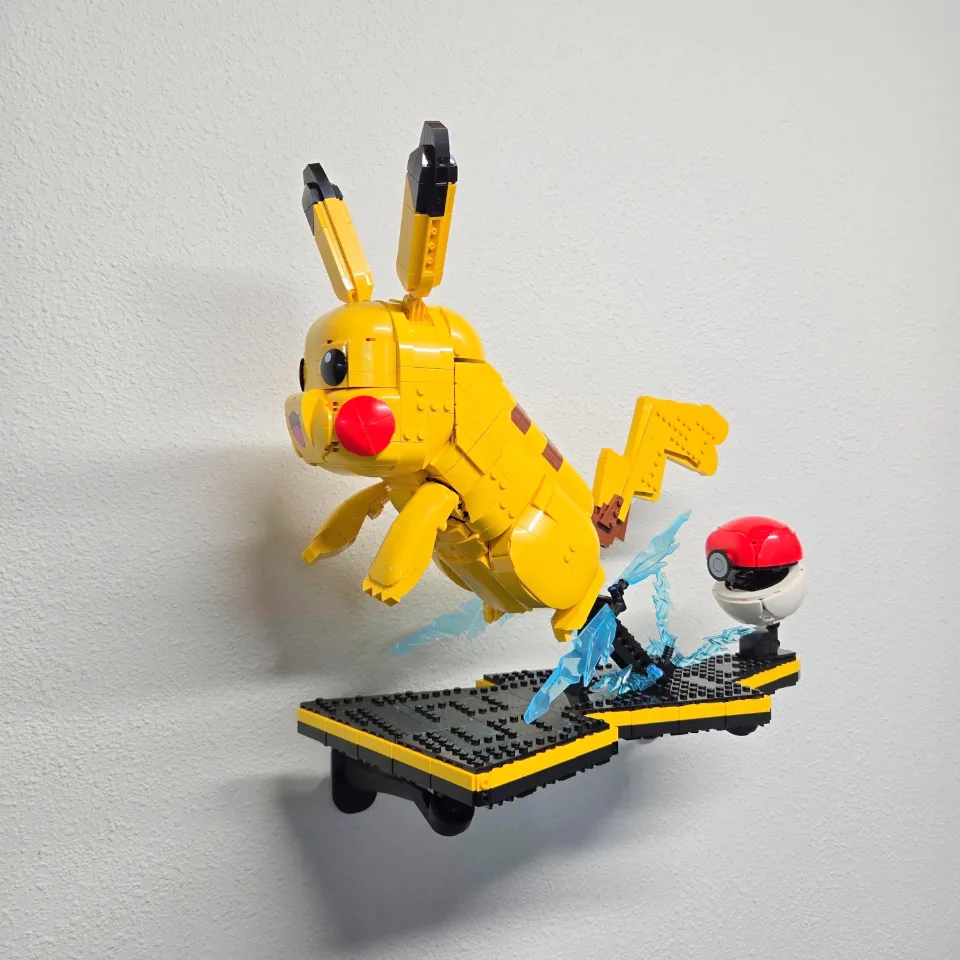
Before you start
Tools needed
- Screwdriver
- Level
- Fine-tip pencil
- Tape measure
- Stud finder and drill, if required by your wall hardware
Parts & hardware
- One short arm and one long arm
- Two 4 × 4 brick tops with ball joints
- Optional screw covers
- Wall screws and anchors appropriate for your wall (supplied only if ordered)
SOURCE YOUR OWN HARDWARE
Need mounting hardware?
If you did not order mounting hardware with your mount, use the specifications and links below to source the hardware you need.
Screws & Anchors (Yellow)
- Specifications
- 20.0-lb 1/4-in x 7/8-in Push-In Anchors with Screws
Remove the figures and attach the brick tops
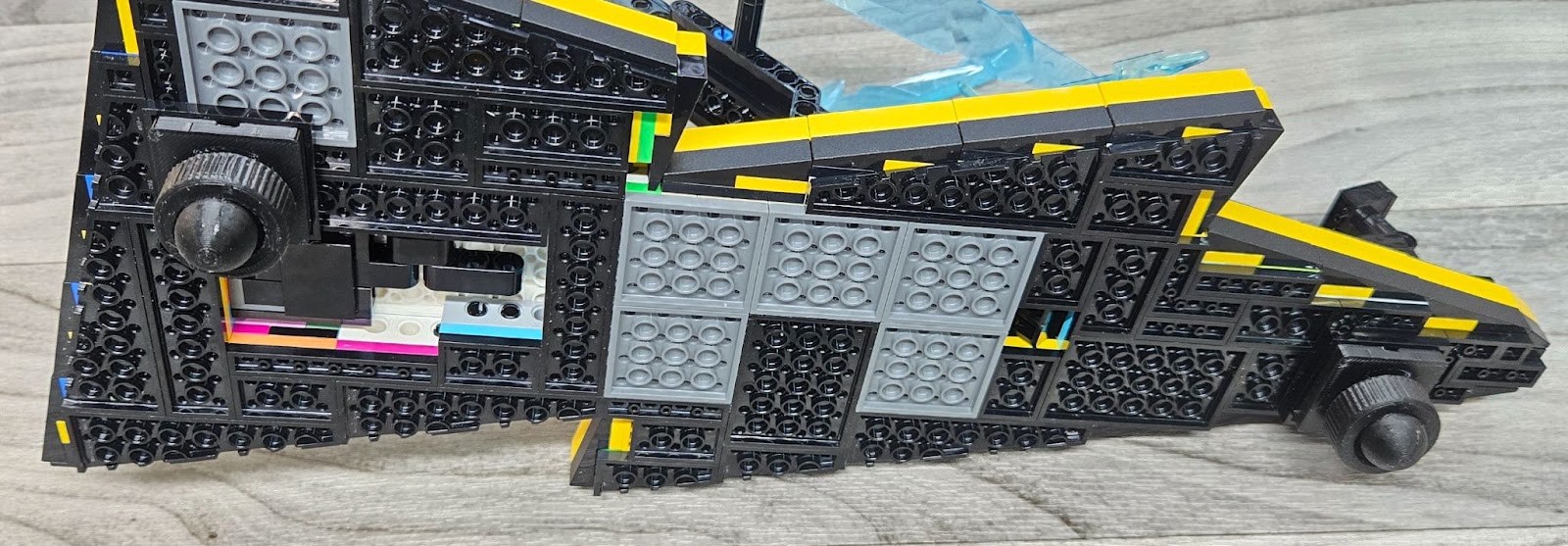
Remove Pikachu and the Poké Ball from the base and put them somewhere safe. Support the base while fitting the 4 × 4 brick tops to the underside positions shown. Check that both connections are fully engaged.
Fit the short and long arms
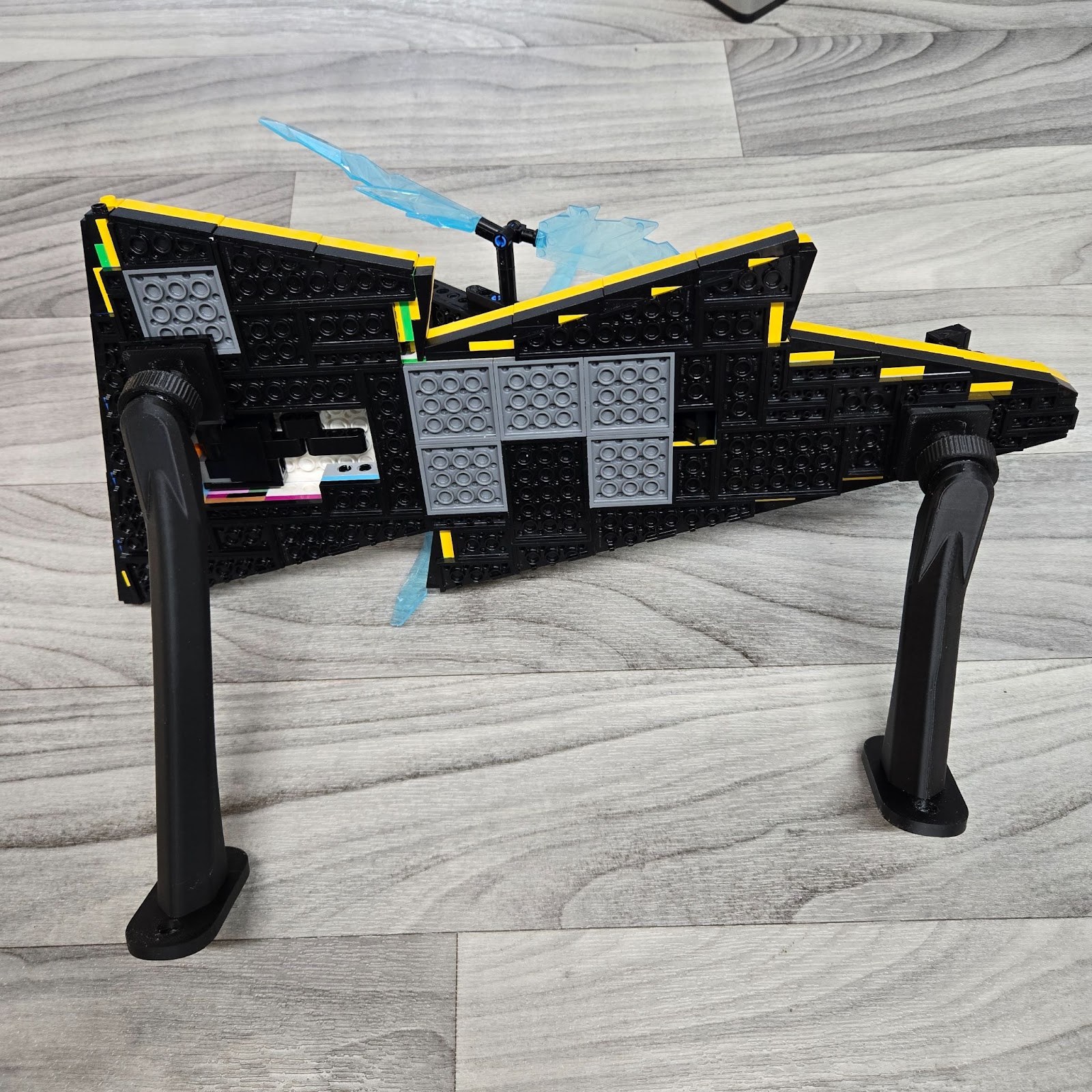
Attach the arms as shown: short arm on the right, long arm on the left in the reference orientation. Align the wall plates so both can sit flat against the wall. Keep the joints adjustable for positioning and continue supporting the base.
Level the base and mark both wall plates
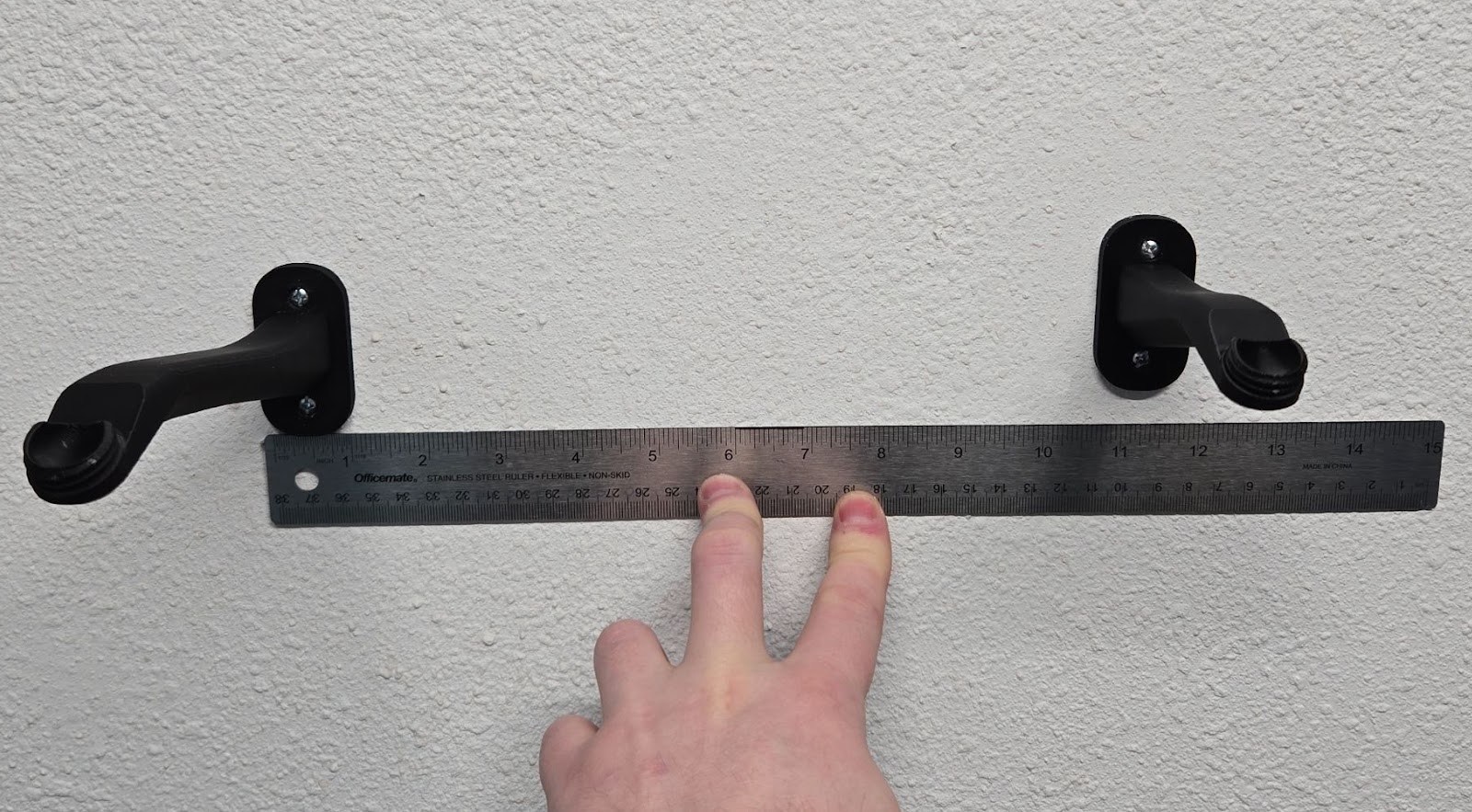
Choose suitable screws and anchors before marking. Have a helper hold the base level with both arm plates flat against the wall while you mark the holes. The short right arm sits higher on the wall than the long left arm. Do not mount the plates at equal heights or copy distances from the photo. Use the assembled base to establish the actual positions.
Remove the arms and mount them to the wall
Detach the arms from the brick tops, leaving the tops attached to the base. Prepare the wall holes according to your hardware instructions, then install each arm at its marked position. Line up the mount with the prepared holes. Start the screws, check the alignment, then tighten gradually with a screwdriver until the mount is firm against the wall. Do not overtighten or bend the printed mounting points. If the mount moves or rocks, correct the installation before adding your set. If supplied, slide the screw cover over the arm and guide it over the wall screws. It is held in place by friction and gravity. Support the arm and avoid heavy downward pressure. If the cover catches, stop and check its orientation instead of forcing it.
Reconnect and level the base
With a helper supporting the base, reconnect both joints to the installed arms. Adjust until the base is level and supported by both arms, then hand-tighten the connections. Keep the base level rather than using a steep display angle.
Replace Pikachu and the Poké Ball
Once the empty base is secure, carefully replace Pikachu and the Poké Ball. Continue checking the base as the weight is added. Gradually release your support only after the set is fully seated and stable. Check that the wall mount, adapter, and brick connections remain secure. If anything shifts or loosens, remove the set and correct the problem before displaying it. Support the set whenever you adjust or remove it.