
Set Specific Directions
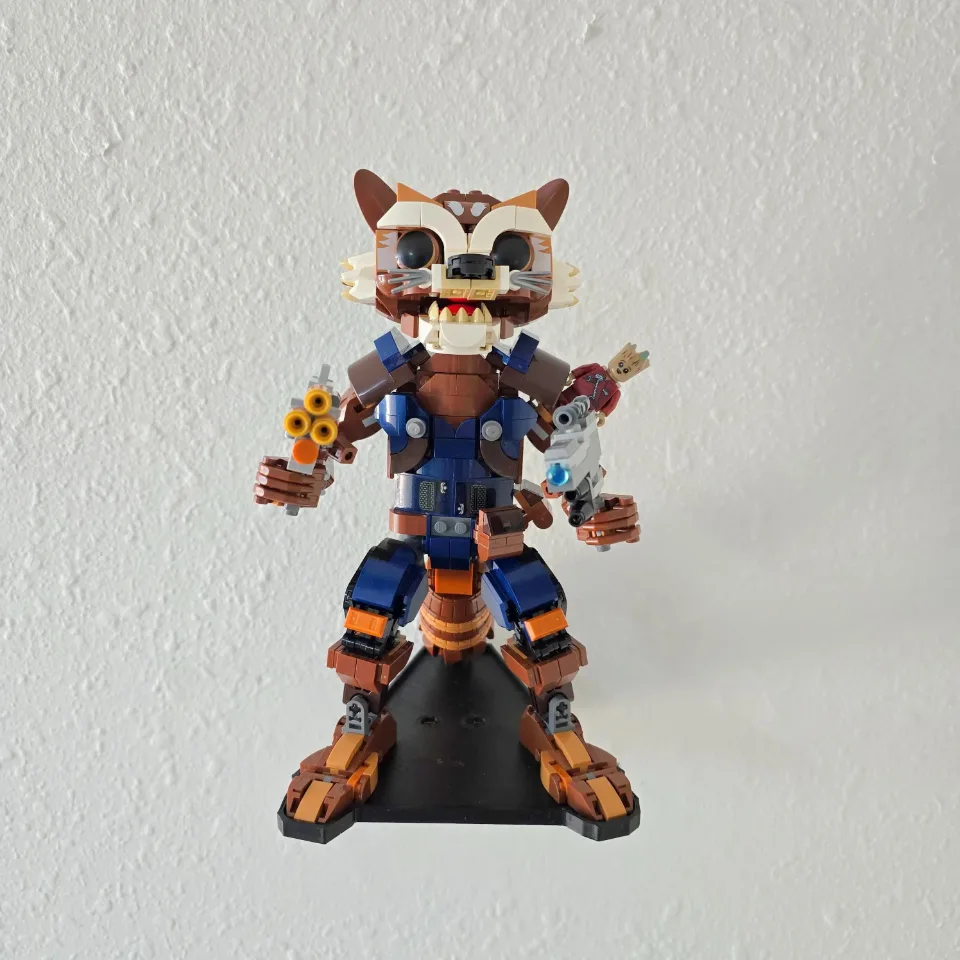
Rocket & Baby Groot (76282) — tray wall mount
Install the Rocket & Baby Groot tray using one Wedge bracket. Follow the Wedge bracket animation for this tray.
Reference 76282
Before you start
Tools needed
- Screwdriver with a bit that fits the supplied screws
- Level
- Fine-tip pen or pencil
- Stud finder, if needed
- Drill and drill bit, if needed for your screws or anchors
- Tape measure, if needed
Parts & hardware
- 1 shaped tray for Rocket & Baby Groot (76282)
- 1 Wedge bracket
- 2 low-profile M3 tray screws and washers
- Wall fasteners for 2 wall holes and suitable anchors if required (wall hardware included only if ordered)
Orient the empty tray and align the bracket
Follow the Wedge bracket animation for this tray. On a stable surface, align the recessed tray holes with the threaded inserts in the bracket. Keep the set off the tray during installation.
Fasten the tray to the bracket before marking the wall
Place a washer in each of the 2 selected tray recesses. Start each supplied M3 screw by hand through the washer and into its matching insert. Tighten evenly until snug and check that the tray and bracket sit firmly together.
Mark the wall with the assembled mount
Choose a location with room to lift the set on and off. Check for hidden wiring and pipes before drilling. Hold the empty, fully assembled mount level against the wall. Mark all 2 wall holes through the attached bracket, then set the mount aside.
Prepare the wall and secure the mount
Use screws suitable for your wall and the loaded display. Where anchors are needed, follow their instructions for hole size, depth and fit. Hold the assembled mount against the prepared holes, start all wall screws, check the level and tighten until snug. Check the empty tray for movement before loading it.
Seat the set and check the display
Support Rocket’s assembled base as you lower the display onto the tray. Keep Baby Groot and projecting details clear of the wall. Check that the base sits flat and release it gradually. If the model rocks or the mount moves, support and remove the set before checking the fit and fasteners.