
Set Specific Directions
Wall Mount for LEGO® Battle Droid™ with STAP (75428)
Attach the STAP tray to its dedicated bracket before marking the wall.
Reference 75428
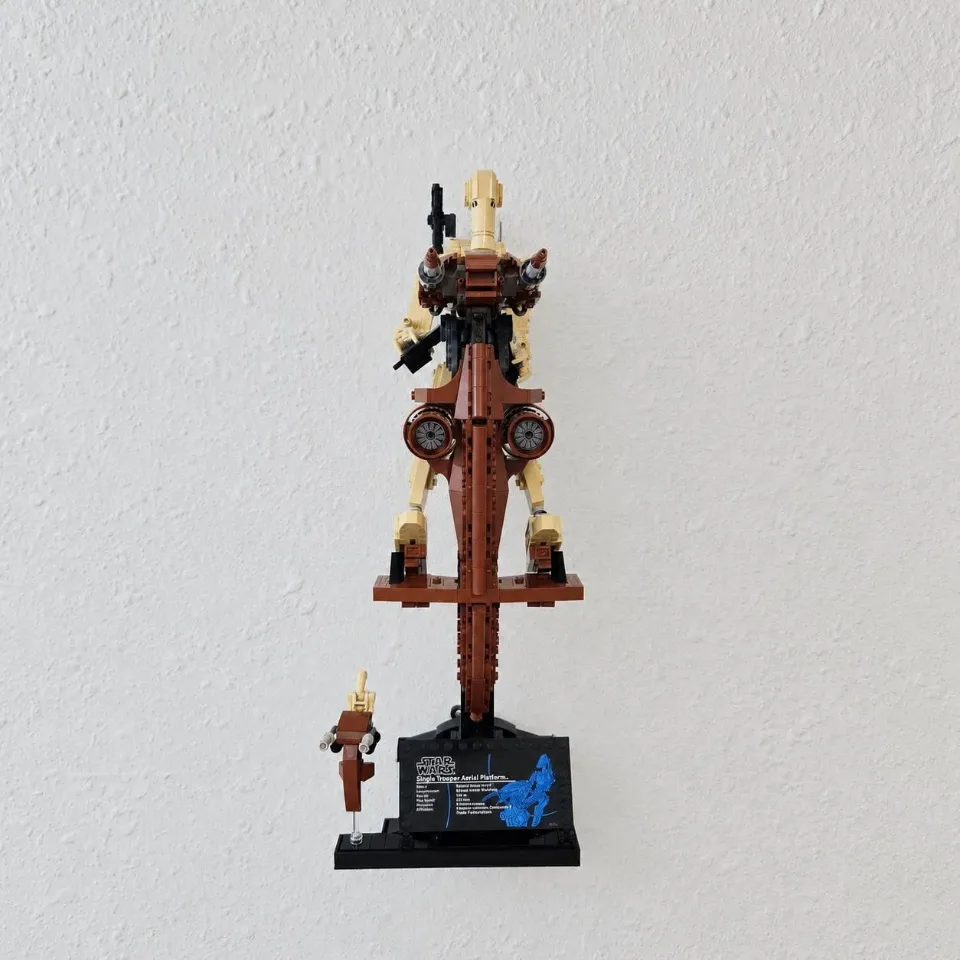
Before you start
Tools needed
- Screwdriver with a bit that fits the supplied screws
- Level
- Fine-tip pen or pencil
- Stud finder, if needed
- Drill and drill bit, if needed for your screws or anchors
- Tape measure, if needed
Parts & hardware
- STAP tray and dedicated bracket
- 2 low-profile M3 screws and 2 washers
- Pre-installed threaded inserts
- 2 wall screws and suitable anchors (if ordered)
Attach the tray to its brackets
Align the STAP tray with the dedicated bracket and its pre-installed inserts. Fit both washers and low-profile M3 screws into the tray recesses and tighten evenly. Keep the heads and washers below the top surface.
Mark the assembled mount
Hold the empty assembled mount level against the wall and mark all two wall holes. Allow clearance for the complete model.
Prepare the wall
Check for concealed wiring and pipes. Prepare each marked hole and fit suitable anchors according to the supplied hardware instructions and your wall material.
Secure the assembled mount
Start all wall screws, check alignment, and tighten gradually until snug without bending the printed parts. Check the empty mount for movement before loading.
Place the set
Support the model with both hands and place it on its intended supports. Check every connection is fully engaged and the model is stable before releasing your support. Remove the model before moving or retightening the wall mount.