
Set Specific Directions
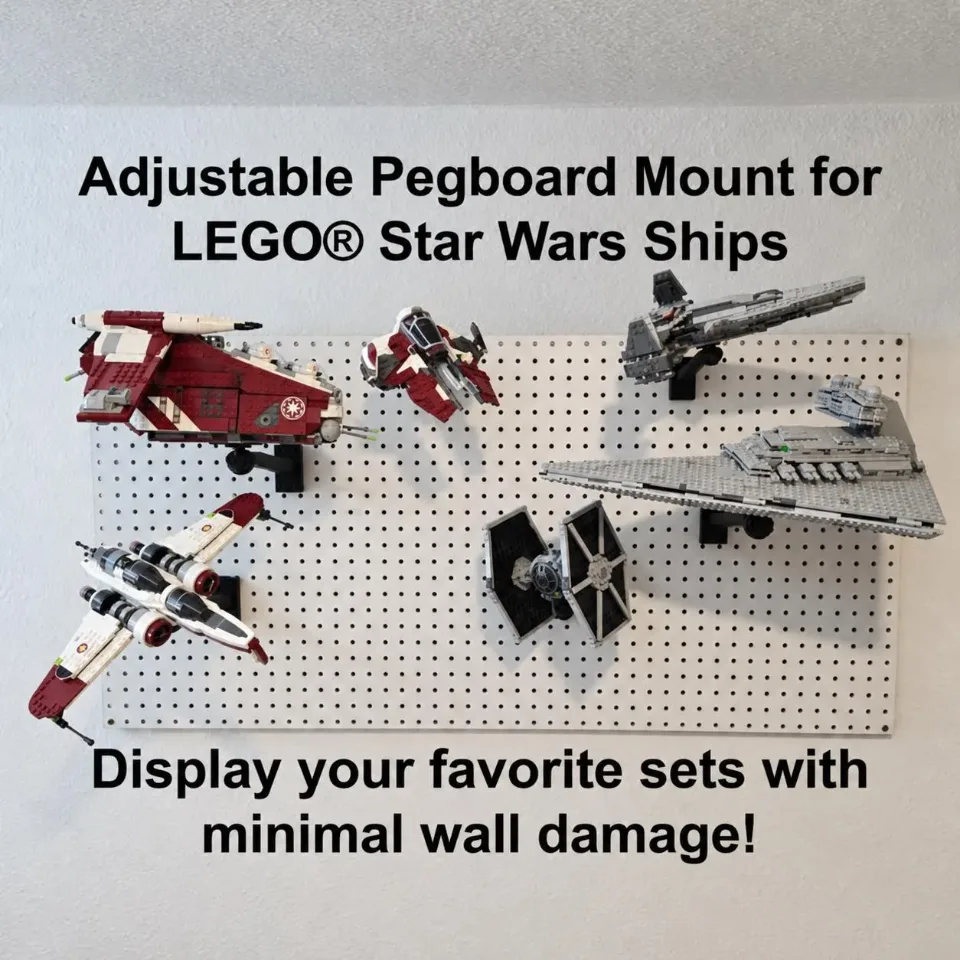
Universal Adjustable Pegboard Mount for LEGO® Star Wars Ships
Install two hooks in the pegboard first, slide the matching bracket onto the hooks, then slide the arm’s wall plate into the bracket. Attach the brick top and position your set at a stable display angle. Each mount requires two pegboard hooks.
Reference Universal pegboard mount
This item is not currently available in the online shop.
Before you start
Tools needed
- No tools required for assembling the mount onto a suitable, securely installed pegboard
Parts & hardware
- Two pegboard hooks per mount
- Matching pegboard bracket: LG-HD for Large/Heavy Duty arms or SM-Mini for Small/Mini arms
- Mounting arm in your selected size
- Matching brick top / ball joint
- Suitable pegboard, already securely installed
Match the bracket to your arm
Lay out the mounting arm, matching pegboard bracket, brick top / ball joint, and two pegboard hooks. Use the LG-HD bracket with Large or Heavy Duty arms, or the SM-Mini bracket with Small or Mini arms. Check the parts for damage before starting. Confirm that the pegboard is securely installed and suitable for the complete display. Leave enough room around the chosen location for the set and for sliding the mount parts into place. Keep the set off the mount until all connections are seated.
Install both hooks in the pegboard first
Use the bracket’s two hook channels as a spacing reference to identify the matching pegboard holes. Insert both hooks into the board before attaching the bracket. Check that the hooks are seated correctly, aligned to receive the bracket, and positioned so both channels can engage together. Do not force hooks into holes that do not fit. Each mount needs both hooks in place.
Slide the bracket onto the installed hooks
Align the bracket’s two channels with the hooks already installed in the pegboard. Slide the bracket onto both hooks until seated, keeping it aligned so neither side catches or remains partly engaged. Check that both hooks are supporting the bracket and that neither hook has lifted out of its board hole. If the bracket will not slide into place, remove it and recheck hook spacing and alignment rather than forcing the printed parts.
Slide the arm into the bracket
Align the mounting arm’s wall plate with the receiving channels in the pegboard bracket. Slide the plate into the bracket until fully seated. This is a slide-in connection; no screws are needed to attach the arm to the bracket. Keep the bracket supported while fitting the arm and check that it remains seated on both pegboard hooks. Do not load the arm while its wall plate or either hook connection is only partly engaged.
Attach the brick top / ball joint
Align the matching brick top / ball joint with the arm’s threaded attachment point and start the connection gently by hand. Keep the parts straight as the threads engage, then hand-tighten until securely seated. If the connection resists or starts crooked, stop and realign it. Avoid forcing or overtightening the printed threads. Check the arm, bracket, and both hooks again before adding the model.
Attach the set and choose a balanced angle
Support the model with both hands and identify its center of mass—the area where its weight is most evenly balanced. Choose a strong underside connection compatible with the brick top and as close to that balance point as practical. Follow any set-specific attachment instructions supplied with your order. Attach the set while supporting its weight and check that the brick connection is fully engaged. Start with a level or modest display angle, make small adjustments, and check clearance from the pegboard and nearby displays. Hand-tighten the joint enough to hold the position without forcing it. Steep or overly aggressive angles can shift the weight away from its support and strain the hooks, bracket, arm, joint, and brick connections. The set could detach or fall. If the set slips or any part of the mount moves, support and remove the model before checking the installation.
Check the finished display and remove the set before adjustments
Gradually release your support only when the model is stable. Confirm that both hooks remain seated in the pegboard, the bracket is seated on both hooks, the arm’s wall plate is fully inserted, and the brick top holds the set securely. Remove the set before relocating the hooks, sliding the arm out, or removing the bracket. Support each part while disengaging it so you do not lift or dislodge another connection accidentally. If you notice movement, cracking, or loosening later, take the model down and correct the problem before displaying it again.