
Set Specific Directions
Wall Mount for LEGO® Yoda's Lightsaber™ (6346100)
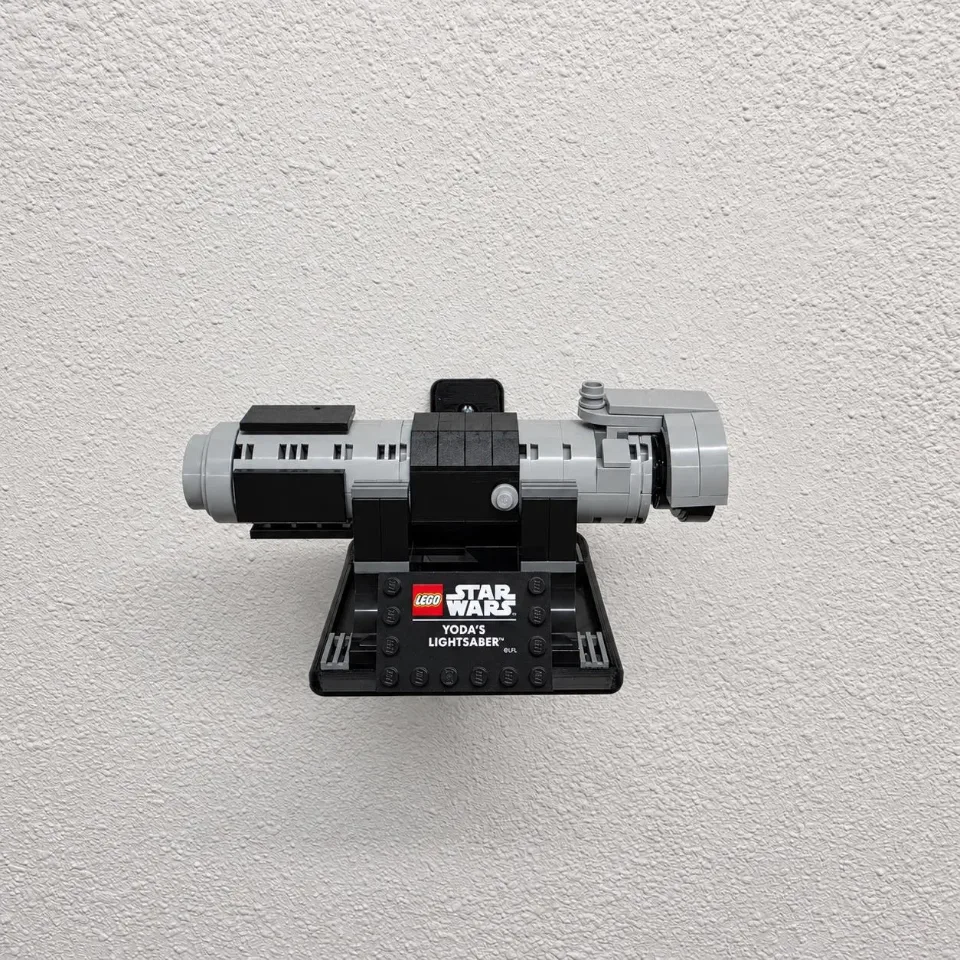
The one-piece tray supports the lightsaber’s assembled display stand and uses the wall-mounting method shown in the helmet mount animation. Leave room on both sides for the length of the hilt.
Reference 6346100
Before you start
Tools needed
- Pencil and level
- Screwdriver to fit your screws
- Stud finder if mounting into a stud
- Drill and bit sized for your wall hardware, if required
Parts & hardware
- 1 one-piece display tray
- 2 wall screws appropriate for the loaded mount and the wall material
- Matching anchors where required (wall hardware included only if ordered)
Orient the empty tray
Hold the backplate flat against the wall, with the two screw holes one above the other and the raised edges of the tray facing up. Allow space to lift the assembled display base clear of the tray.
Mark both screw holes
Choose a stud where practical, or use anchors rated for your wall and the combined weight of the helmet and mount. Check for hidden wiring and pipes. Hold the tray level and mark the center of each hole through the backplate. Set the mount aside.
Prepare the wall
For drywall anchors, drill at the two pencil marks using the bit size and depth specified for your anchors. Fit each anchor as directed. The animation shows push-in anchors seated flush with the wall. For a stud installation, drill pilot holes as specified for your screws.
Fasten the tray
Align the backplate with the two prepared holes. Start both screws, recheck that the tray is level, then tighten each screw until the backplate sits snugly against the wall. Stop before the printed part bends. Check the empty tray for rocking or movement before loading it.
Place the lightsaber display stand
Steady the hilt and lift the display stand by its base. Lower the base onto the tray with the nameplate facing the room. Check that the stand sits flat, the hilt is seated on its supports and both ends clear nearby objects. To remove the display, support the base and lift it clear of the tray before bringing it toward you.