
General directions
Wall Mount for LEGO® Yoda™ Bust (75438)
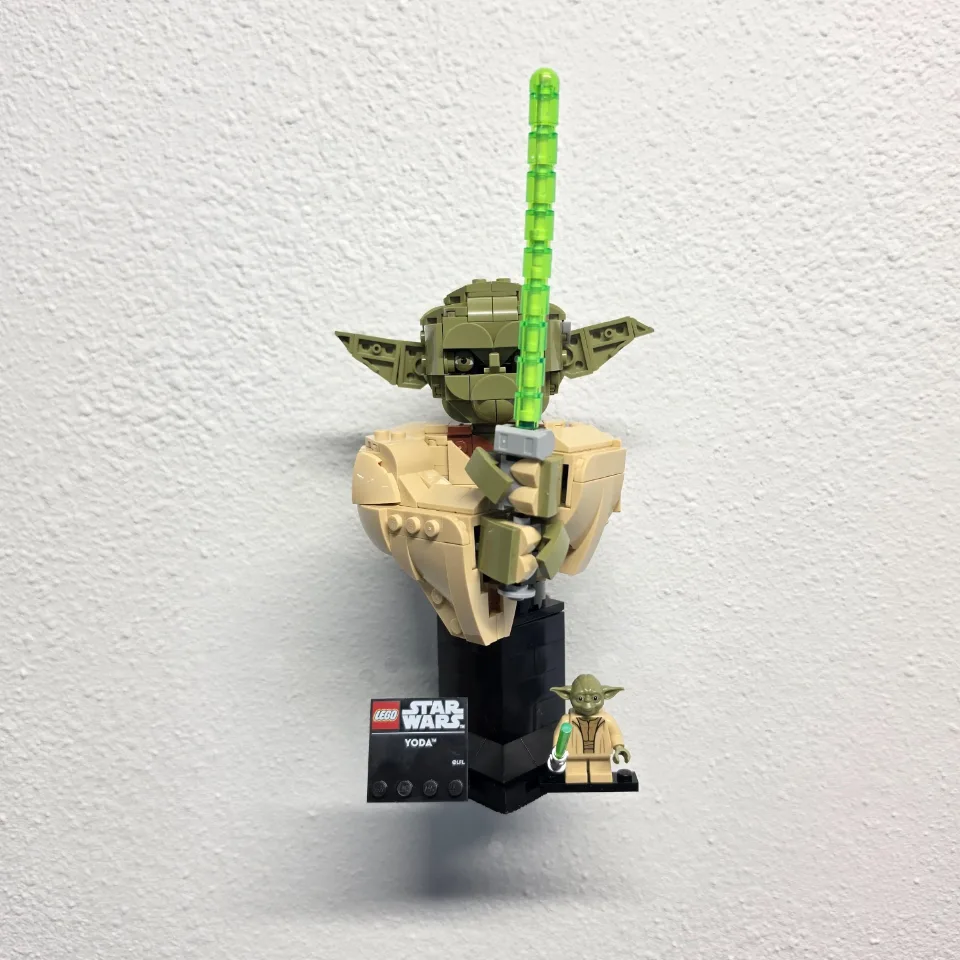
This one-piece mount supports the assembled display base of the Darth Vader (75439), Iron Man MK4 (76327), Iron Spider-Man (76326) and Yoda (75438) busts. The render shows the shallow tray and curved backplate. The animation shows how the two screws fasten the mount to drywall.
Reference 75439, 76327, 76326, 75438
Before you start
Tools needed
- Screwdriver with a bit that fits your wall screws
- Level
- Fine-tip pen or pencil
- Stud finder, if needed
- Drill and drill bit, if needed for your screws or anchors
- Tape measure, if needed
Parts & hardware
- 1 one-piece bust wall mount
- 2 wall screws rated for your wall and the loaded mount
- Matching anchors where required (wall hardware supplied only if ordered)
Identify the bust tray and its orientation
Place the empty tray with the raised edges facing up. The curved backplate sits against the wall with its two screw holes one above the other. Compare your mount with the render and allow room to lift the assembled bust into and out of the tray.
Level the tray and mark both wall holes
Check for concealed wiring or pipes. Use a stud where practical, or choose anchors suitable for the wall and the loaded mount. Hold the backplate flat against the wall, level the tray and mark the center of both holes. Set the mount aside.
Prepare the wall for screws and anchors
Follow the screw or anchor manufacturer’s instructions for the correct hole size, drilling depth, and installation method. Check for concealed wiring or pipes before drilling. If anchors are required, prepare the marked holes and fit the anchors as directed. For screws going into a stud, prepare any pilot holes required by the screw manufacturer. Keep the mounting-hole locations aligned with the marks made from your mount. Check that the anchors are installed correctly and that the wall around the mounting holes is undamaged. If an anchor spins, a hole is damaged, or a screw or anchor will not hold securely, correct the problem before attaching the mount. Tightening harder will not repair an unsuitable or loose screw or anchor.
Fasten the empty bust mount
Align the two holes in the backplate with the prepared wall holes. Start both screws, recheck the level and tighten until snug. Stop before the printed backplate bends. Check that the tray does not rock or shift before adding the bust.
Seat the bust’s assembled display base
Lift the assembled bust by supporting its display base with both hands. Lower the base flat inside the tray’s raised edges with the front of the display facing the room. Check that the base is fully supported and clears the front stops before easing your hands away. Lift the base above the stops when removing the bust.
Check the finished display
Confirm the bust stands steadily, its details clear the wall and the backplate is firm. If the base rocks or the tray moves, lift the bust out and check the fit and wall hardware before displaying it.