
General directions
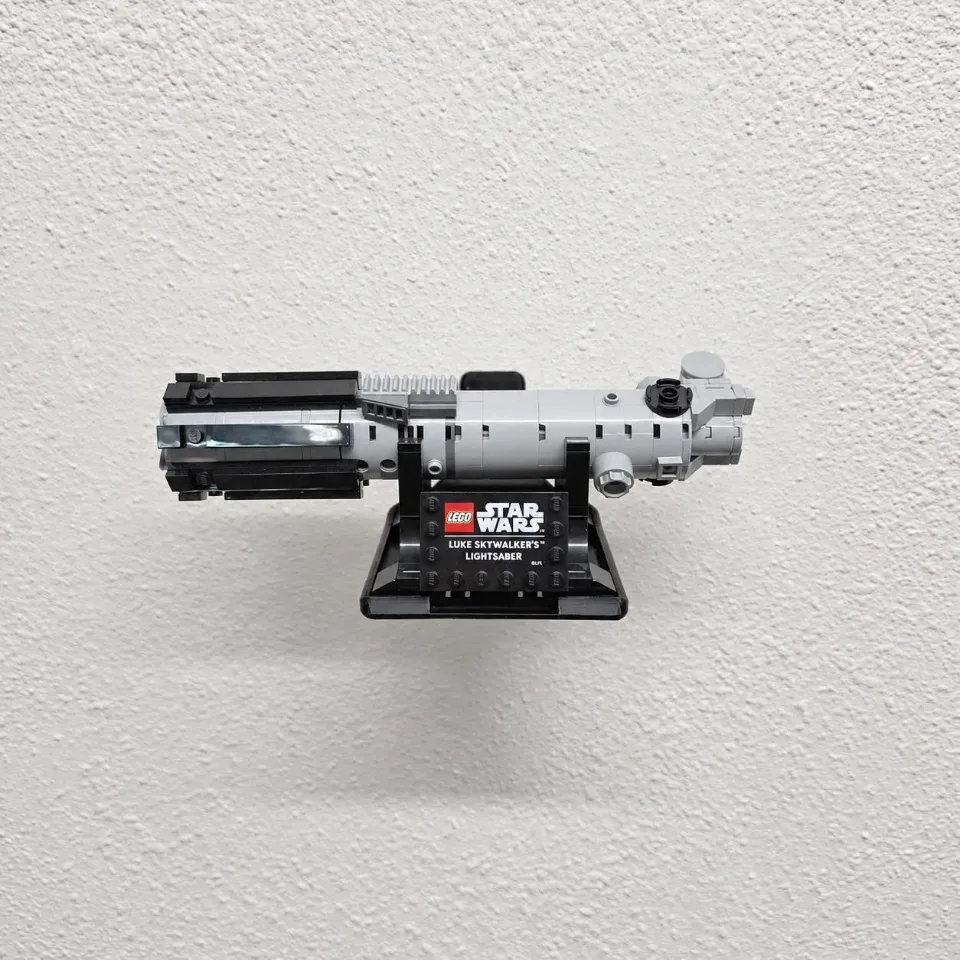
Wall Mount for LEGO® Luke Skywalker’s Lightsaber™ (40483)
This one-piece mount holds the helmet by its assembled display base. The render shows how to orient the tray. The animation demonstrates installation on drywall with two anchors. Follow this guide for the standard Star Wars, Marvel and DC helmet wall mounts. Editions F1 helmets and Sauron’s Helmet use a different mount.
Before you start
Tools needed
- Pencil and level
- Screwdriver to fit your screws
- Stud finder if mounting into a stud
- Drill and bit sized for your wall hardware, if required
Parts & hardware
- 1 standard helmet wall mount
- 2 wall screws suitable for your wall and the loaded mount
- Matching anchors where required by the wall material (hardware supplied only if ordered)
Orient the empty mount
Hold the curved backplate against the wall with its two screw holes one above the other. The shallow tray projects into the room with its rim facing up. Leave enough room above and on both sides to lift your helmet into place, including any antenna or rangefinder.
Mark both screw holes
Choose a stud where practical, or use anchors rated for your wall and the combined weight of the helmet and mount. Check for hidden wiring and pipes. Hold the tray level and mark the center of each hole through the backplate. Set the mount aside.
Prepare the wall
For drywall anchors, drill at the two pencil marks using the bit size and depth specified for your anchors. Fit each anchor as directed. The animation shows push-in anchors seated flush with the wall. For a stud installation, drill pilot holes as specified for your screws.
Fasten the tray
Align the backplate with the two prepared holes. Start both screws, recheck that the tray is level, then tighten each screw until the backplate sits snugly against the wall. Stop before the printed part bends. Check the empty tray for rocking or movement before loading it.
Seat the helmet base
Keep the helmet on its assembled display base. Support the base with both hands and lower it into the tray, with the display plaque facing the room. Check that the base rests flat inside the raised edges and the helmet clears the wall. Release your hands gradually. If the base rocks or sits on the rim, lift it out and check its fit. Lift by the base again when removing the display.