
Set Specific Directions
Wall Mount for LEGO® International Space Station (21321)
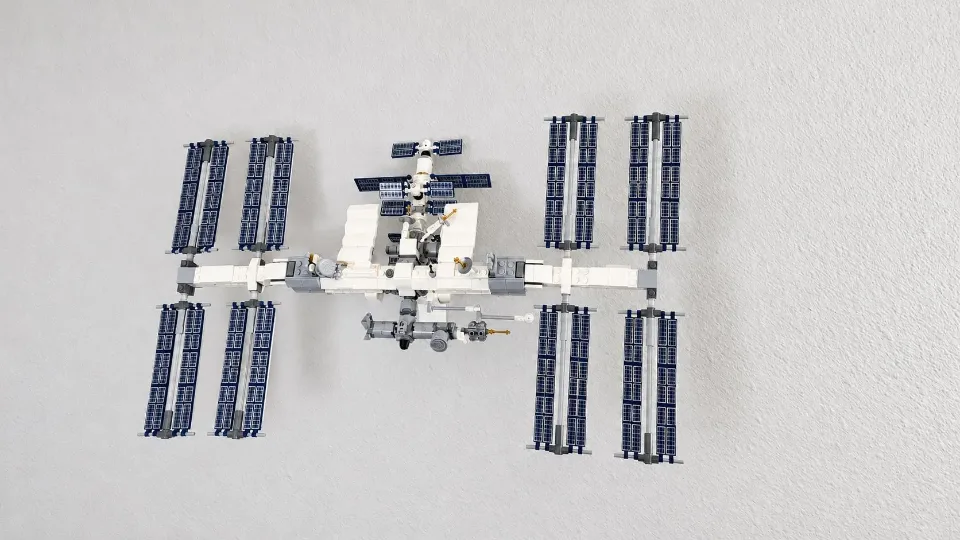
Install the three-part ISS wall mount, secure the arm with the locking pin, and place your International Space Station on its shaped support. The pin fits into the keyway at the top of the arm’s shaft. This mount uses the yellow screws and anchors listed below.
Reference 21321
Before you start
Tools needed
- Screwdriver
- Level
- Fine-tip pencil
- Tape measure
- Stud finder and drill, if required for your wall hardware
Parts & hardware
- ISS Wall Bracket
- ISS Arm Bracket
- ISS Pin
- Yellow screw-and-anchor kit (supplied only if ordered)
SOURCE YOUR OWN HARDWARE
Need mounting hardware?
This mount uses the yellow screw-and-anchor kit. If you did not order hardware with your mount, use the saved specifications below to identify the recommended kit. Confirm that the hardware is suitable for your wall and follow its installation instructions. The hardware’s listed rating is not a load rating for the complete printed mount.
Screws & Anchors (Yellow)
- Specifications
- 20.0-lb 1/4-in x 7/8-in Push-In Anchors with Screws
Identify the three mount parts
Lay out the ISS Wall Bracket, ISS Arm Bracket, and ISS Pin. The wall bracket has a round socket that receives the arm’s shaft. The arm has the shaped support for the ISS at its other end. The separate pin fits into the keyway at the top of the shaft after the arm is inserted. Check the printed parts for damage and have the yellow screws and anchors ready. Keep the ISS safely supported away from the work area while installing the wall bracket.
Choose the location and mark the wall
Allow enough space for the ISS and its solar panels, including room to lift the set onto the mount without hitting the wall or nearby objects. Hold the wall bracket in position with its socket facing outward. Check its alignment with a level and mark the mounting holes. Check for concealed services before drilling. Use the yellow anchor kit only where it is suitable for the wall material; follow the hardware manufacturer’s instructions for hole size and preparation.
Secure the wall bracket
Prepare the marked holes and install the anchors according to their instructions. Align the wall bracket with the prepared holes and start the screws. Check the alignment again, then tighten gradually with a screwdriver until the bracket sits firmly against the wall. Do not overtighten or distort the printed mounting points. Check for movement before continuing. If the bracket rocks, shifts, or pulls away from the wall, correct the wall attachment before adding the arm or set.
Insert the support arm
Orient the ISS Arm Bracket with its shaped set supports facing upward and the shaft’s keyway at the top. Align the cylindrical shaft with the wall bracket’s socket and slide it into place. Keep the parts aligned rather than twisting or forcing them together. Check that the arm is seated and that you can access the keyway at the top of the shaft. Do not place the ISS on the arm yet.
Fit the locking pin into the top keyway
Insert the ISS Pin into the keyway at the top of the arm’s shaft. Guide the narrow section into the keyway and seat the pin by hand. Do not hammer it in or force a pin that will not fit; check that the arm is seated and the pin is aligned correctly. Confirm that the pin is seated and the arm is secure in the wall bracket before adding the set. Do not use the mount with the locking pin missing or only partly inserted.
Place the ISS on the shaped support
Lift the ISS by its central structure, supporting its weight with both hands. Do not lift it by the solar panels, antennas, or other delicate sections. Use a helper if needed to keep those parts clear of the wall. Align the underside of the set with the arm’s shaped cradle and smaller support points. Lower it carefully into its intended position and check that it is seated evenly, without resting its weight on fragile details. Keep supporting the model while checking that it cannot tip or slide out of position. If it does not sit securely, lift it off and recheck the orientation instead of forcing it.
Check the completed installation
Gradually release your support only when the ISS is stable. Check that the wall bracket remains firm, the arm is fully seated, and the locking pin stays in the top keyway. Confirm that the set is supported correctly and its solar panels have clearance. Remove the ISS from the mount before removing the locking pin or taking the arm out of the wall bracket. If anything shifts or loosens later, take the set down and check the wall hardware and mount connections before displaying it again.