
Set Specific Directions
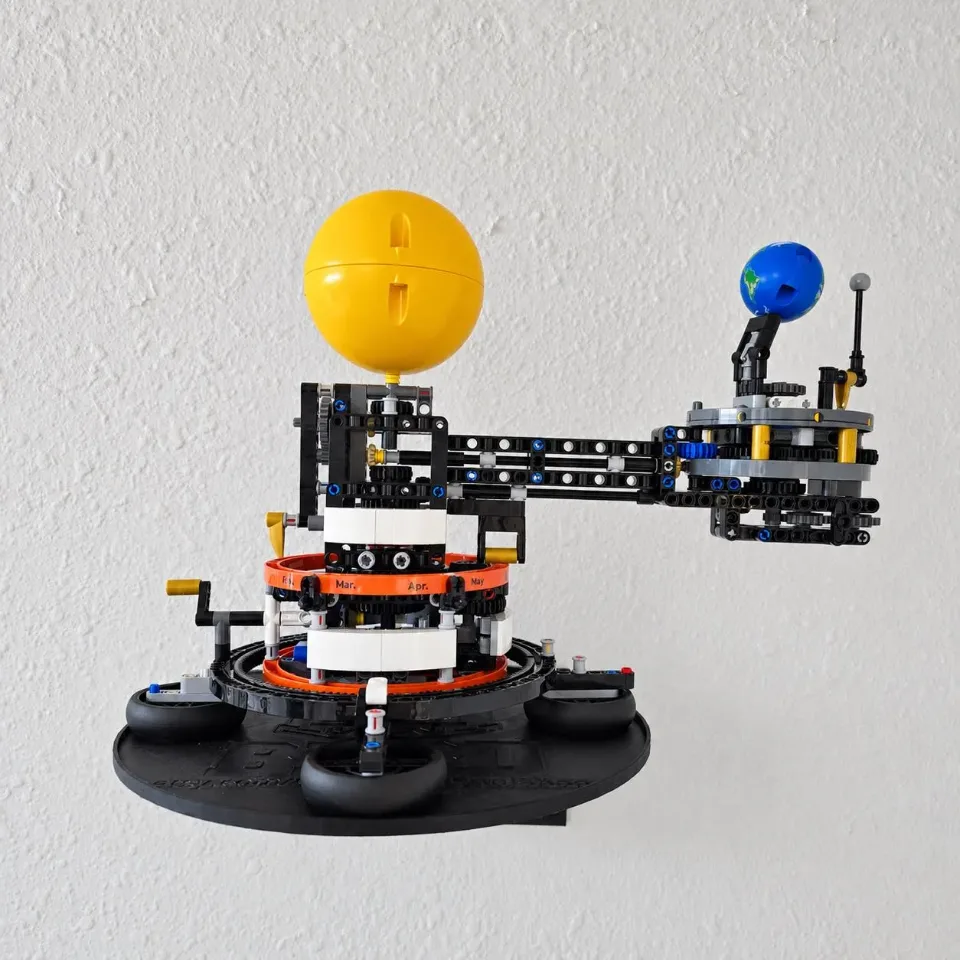
Wall Mount for LEGO® Planet Earth and Moon in Orbit (42179)
Use two Large brackets and select the animation that matches the hardware in your order.
Reference 42179
Before you start
Tools needed
- Level, pencil, screwdriver, drill and bit matched to the fasteners.
Parts & hardware
- Large — 2 brackets, 4 tray screws with washers, 8 wall screws
Align the tray and brackets
Use two Large brackets and select the animation that matches the hardware in your order. On a stable surface, line up the recessed tray holes with the bracket inserts shown in the animation. Face the flat mounting surfaces toward the wall.
Fasten the tray before marking the wall
Place a washer in each selected recess. Start the supplied low-profile M3 screws through the tray into the threaded bracket inserts by hand. Tighten evenly until snug. Check that the tray and brackets sit firmly together.
Level the assembled mount and mark the wall
Hold the empty, fully assembled mount level against the wall. Mark all 8 wall holes through the attached brackets. Check for concealed wiring or pipes before drilling.
Prepare the wall and secure the mount
Set the mount aside. Use fasteners rated for your wall and the loaded display. For drywall anchors, drill to the specified size and fit the anchors flush. For a stud, follow the screw manufacturer’s pilot-hole instructions. Align the empty mount and start all wall screws. Check the level, tighten until snug and check for movement.
Seat the display
Support the mechanism by its base as you place it on the tray. Slowly turn the model by hand and check wall clearance through its range of motion. Release your support gradually. If the model rocks or the mount shifts, lift the set off before adjusting it.